Sharing
With AndBible, you can easily share verses, notes, and study pads.
Sharing A Verse
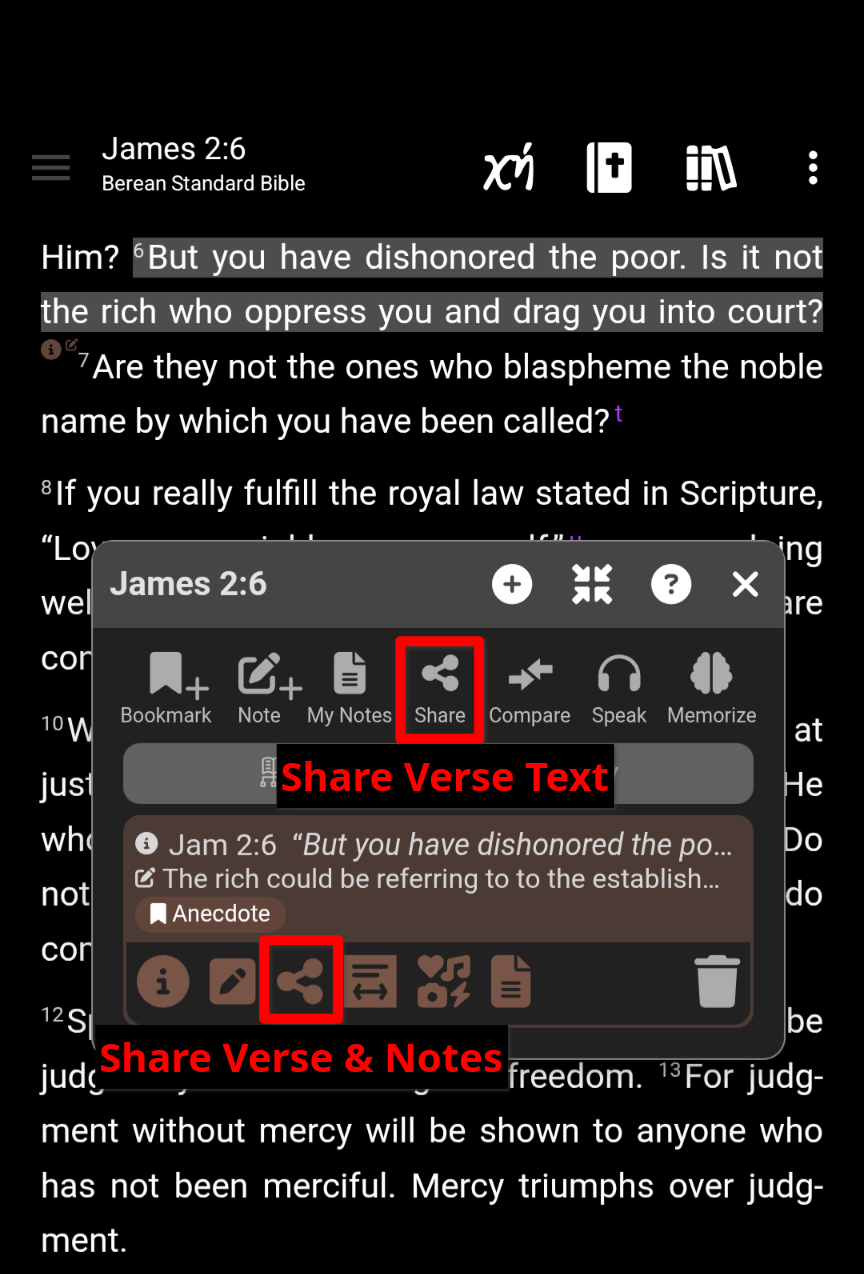
- Click on the verse you would like to share.
-
In the Verse Action Dialog, click the share button.
- To share notes in addition to the verse text, click the share button in the specific note you would like to share.
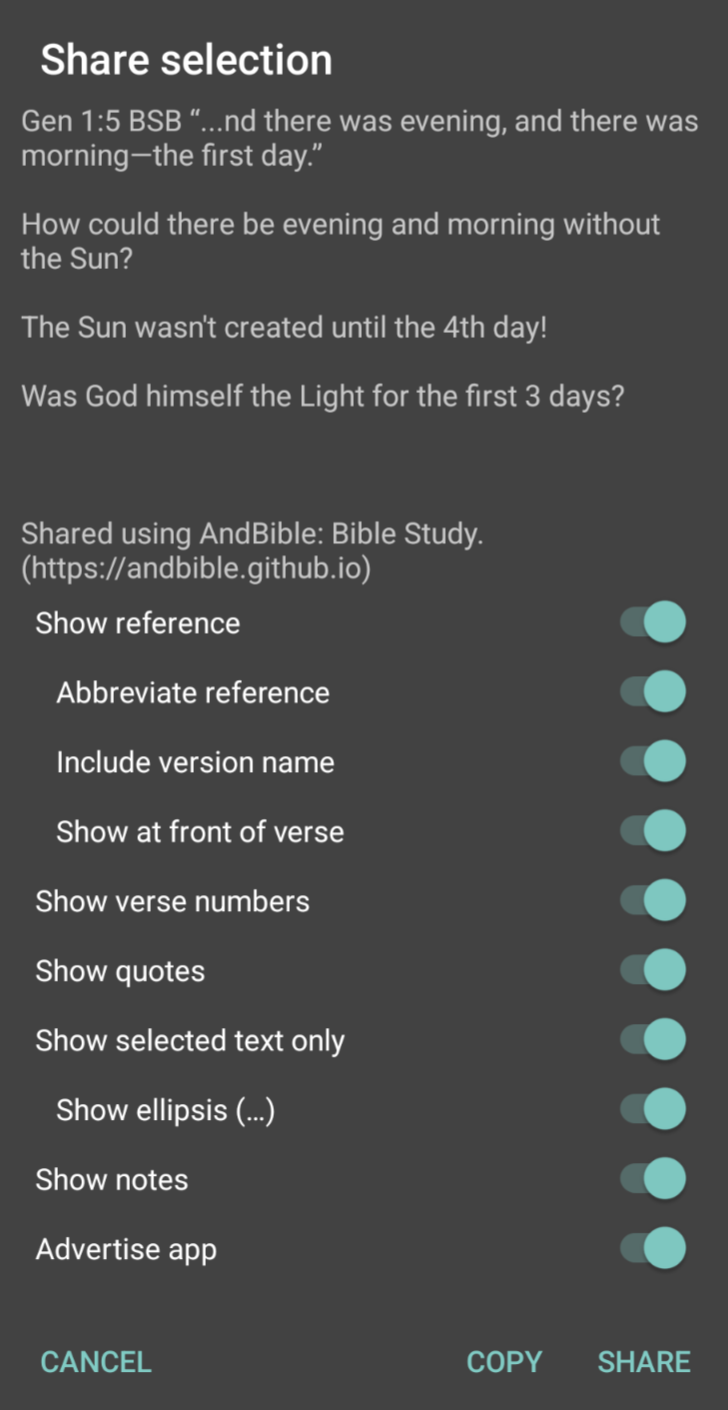
- Toggle the items that you want to include in the shared text.
- Click COPY to copy the text to your clipboard, or click SHARE to share the text via another app.
Sharing A Study Pad
Study Pads can be shared with other AndBible users, or with anyone in html format:
- Open a StudyPad (See Study Pads for more details)
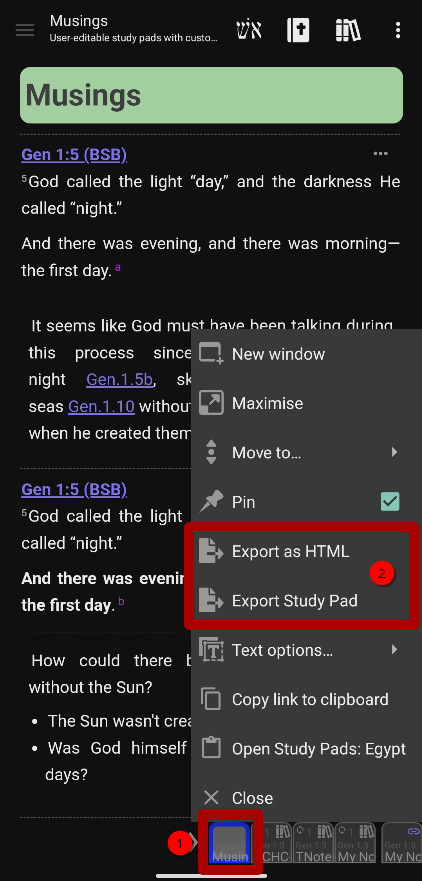
- Long-Click on the study pad window button
-
In the window menu, choose:
- Export as HTML to export an html file that can be shared with anyone.
- Export Study Pad to export a study pad file that can be imported by other AndBible users.
- When prompted, choose either to save the exported study pad to your Phone Storage or to Share it via another app.
Sharing Bibles/Documents
It is also possible to share other AndBible documents. See Backup and Restore for details on backing up documents that can then be shared with other AndBible users.
Sharing Bible Links
You can share a direct link to a specific Bible passage using the
https://read.andbible.org/ URL format. When another AndBible user opens the
link, it opens the passage directly in the app.
For more details on the link format and options, see Bible Links / Deep Linking.